



SAI – APK, XAPK & Split APK Installer for Android
Install APK, XAPK, APKM, APKS and split APK packages with SAI. Check package compatibility, manage installed apps, create APK backups and share application files—all in one Android app.
APK & XAPK INSTALLER
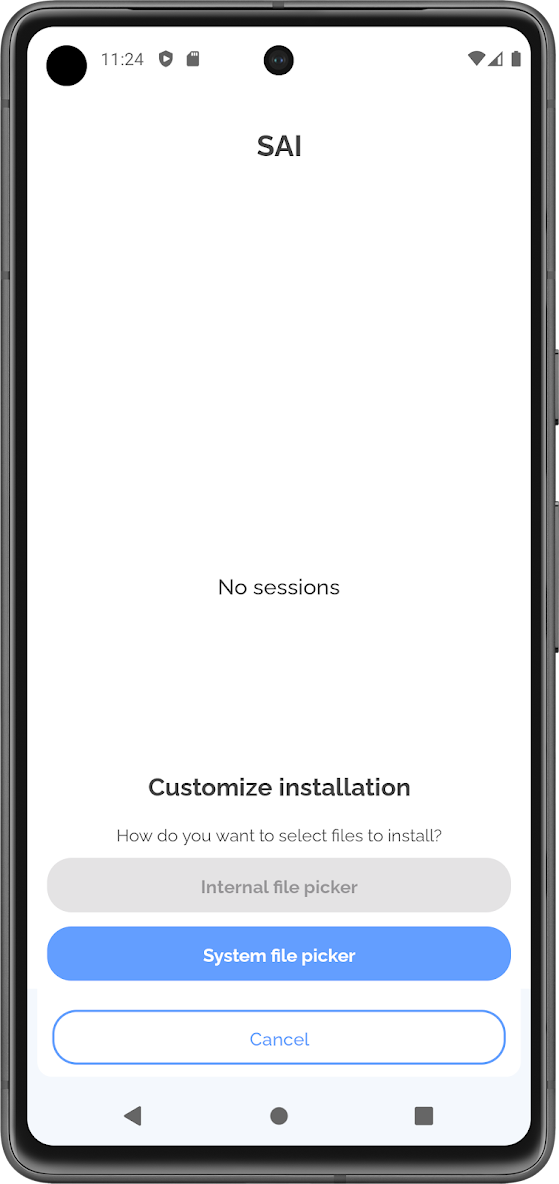
Install standard APK files and packages in XAPK, APKM, APKS and ZIP formats. Select packages from your device or open supported files from a file manager. No root required.
SPLIT APK & APP BUNDLE INSTALLER
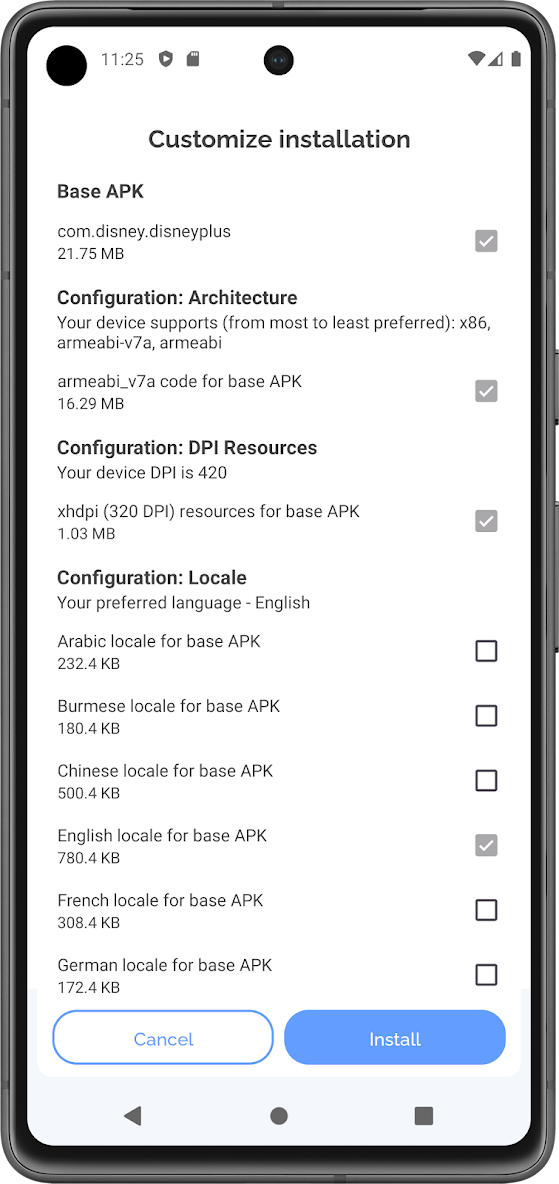
Install apps distributed as a base APK with additional split APK components. SAI selects matching components and lets you review or adjust the selection before installation. Track installation progress and handle multiple packages.
APK CHECK – TROUBLESHOOT INSTALLATION ERRORS
Why won't an APK install? Check potential problems before installation, including Android version requirements, CPU architecture compatibility, signature mismatches, version downgrades, missing base APKs and required device features.
Inspect requested permissions, supported architectures, certificate hashes and split APK components. Share an analysis report or continue to installation.
APK BACKUP & RESTORE
Save installation packages from installed apps so you can reinstall them later without downloading the same files again. Back up standard APKs and split APK packages.
Create individual or batch backups, select APK components, retain multiple versions and compare saved copies with installed apps. Choose backup folders and filenames; search, filter, sort, share or delete saved packages.
APP MANAGER & APPLICATION DETAILS
Browse user-installed and system apps. Search by app name or package name, check versions and inspect permissions.
View install and update dates, installer source, APK size, file locations, SHA-256 signing certificate fingerprints and installed splits. Explore activities, services, receivers and content providers.
Launch apps, open their Google Play pages, access system settings or uninstall apps.
APK SHARING & EXPORT
Share APK files with other apps and export your application list. Save an installed app with its split APK files in a ZIP archive or transfer APK files using Bluetooth.
HOW TO INSTALL
1. Download a compatible APK, XAPK, APKM or APKS package.
2. Open it in SAI or select the files inside the app.
3. Review the package components and tap Install.
4. Follow installation prompts.
SUPPORTED FORMATS
.apk, .xapk, .apkm, .apks and ZIP archives containing APK files.


