
A CSV file stores tabular data as plain text. CSV stands for comma-separated values. Commas separate values into columns, and each row usually represents a record. Files with the .CSV extension are common in spreadsheet exports, reports, and data exchange.
Open CSV files in a readable table
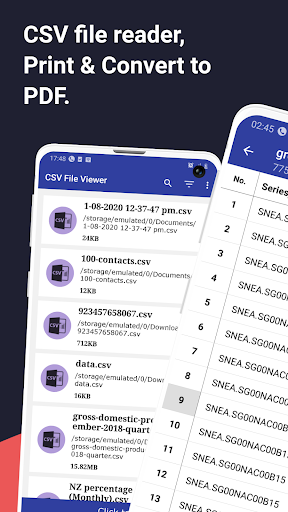
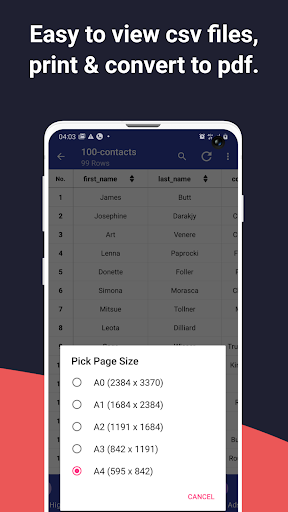
CSV File Viewer For Android displays files in rows and columns, so you can follow each record alongside its related values. Scroll across a wide table or jump to the part you need. Open a short .CSV file or a larger export to see how the data fits together.
Find entries with CSV Viewer
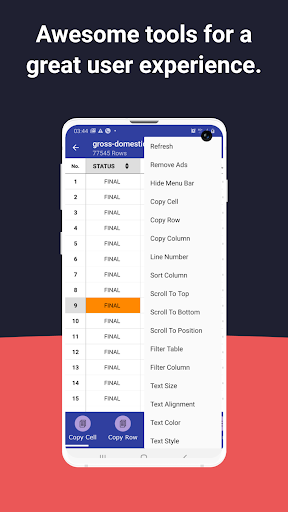
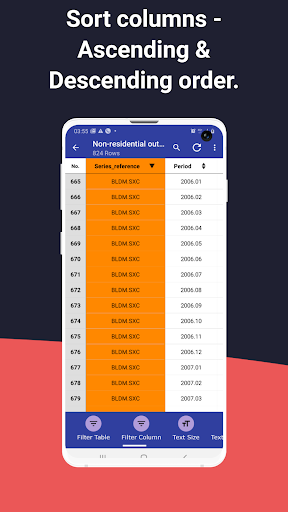
Search for a specific entry or narrow the table with filters. To make comparisons easier, CSV Reader can order values from low to high or high to low. Copy a cell, row, or column when you need the information in another app.
Take your CSV data from review to reference
From your phone, CSV File Viewer lets you check a class dataset, look up a research entry, or review a business report. Create a copy to share or keep with the built-in CSV To Pdf Converter.
Features of CSV File Viewer
• Easy navigation: Move through a file in CSV Viewer and adapt the table to your preferences.
• Fast file loading: Open small or large .CSV files with efficient processing for responsive browsing.
• Organized table view: CSV Reader groups related values in rows and columns you can adjust for easier review.
• Flexible copying: When you need values elsewhere, CSV File Viewer can copy a cell, row, or column for reuse in another app.
• Ascending and descending sorting: Arrange the data in the order you need to compare values or review a list more systematically.
• Search and filtering: In a long table, CSV Viewer can find a specific entry and narrow the view to the records you need.
• Display controls: Set text size, font, alignment, text color, cell dimensions, and background colors in CSV File Viewer. Use cell highlighting to make important values easier to spot.
• Offline access: With a file stored on your device, CSV Reader works without an internet connection.
• Local processing: CSV File Viewer For Android processes the data on your device without uploading the file to an external server.
• Support for different file sizes: Browse compact lists and larger .CSV exports in a table optimized for efficient review.
• Practical data review: CSV Viewer can help you review exports for coursework, research, business, or analysis.
• Direct printing: Print CSV documents directly from CSV File Viewer for reports, records, or reference copies.
• PDF conversion: Turn your data into a PDF you can view, print, or share using CSV To PDF Converter.
How to open and work with a CSV file
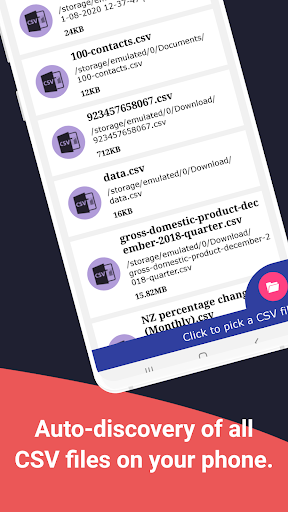
1) Open a file: Launch the CSV Reader and select a .CSV file from your device storage.
2) View and navigate: Scroll through the rows and columns or jump directly to the section of the table you want to see.
3) Search and filter: Use the search and filter tools to find specific information in the file.
4) Sort the data: Choose ascending or descending order to arrange values for easier review.
5) Convert to PDF: Turn the CSV into a PDF document for sharing or storage.
6) Print a CSV file: Use the app's printing feature to print the document directly.
Keep everyday data review on your phone
When you receive a new export, you can open it locally, make the table easier to read, and go straight to the entries you need. The same workflow works for a quick lookup offline or a longer review that ends with a PDF or printed copy.
Need one value from a long export? Find the row, copy the cell, and get back to your work. Try the CSV File Viewer For Android app.
Thanks for giving the app a try. Share your feedback, suggestions, or feature requests to help improve it.
• Enhanced the overall experience with better performance and reliability
• Optimized the app for faster and more reliable use
• Bug fixes and performance improvements
• Thanks for using the app