




VoxBox is an AI studio for video, music and voice. Make AI videos and songs, remove vocals, clean noisy audio, add captions, and edit video and audio on a real multitrack timeline. One app instead of ten.
CREATE WITH AI
• AI video generator: write a prompt, or add a photo, and get a video. Text to video and photo to video, with a choice of AI models.
• Talking photo: pick a photo, type or record the words, and the photo speaks them.
• AI song generator: a full song with singing from a few words. Choose the style and the length.
• AI music generator: background music in any style for your videos and podcasts.
• Text to speech: type words and hear them in a natural AI voice, in many languages.
• AI sound effects: describe a sound and get it.
VOCAL REMOVER AND KARAOKE
• Vocal remover: get any song without the singing, or keep only the vocals.
• Stem splitter: split a song into vocals, drums, bass and other instruments, then open every part on its own track in the mixer.
• Karaoke maker: turn a song into a karaoke track and sing over it.
CLEAN AND CHANGE VOICE
• Noise remover: remove hiss, hum, wind and room noise from a recording. AI noise reduction for voice, podcasts and video sound.
• Voice isolator: keep the voice, drop the music and the background.
• Voice changer: make a voice sound like a robot, a cave and more, or change it with AI.
• Voice recorder: record your voice or any sound and edit it right away.
• Speech to text: turn what is said into text.
VIDEO EDITOR
• Trim, split, crop and join clips on a multi-layer timeline, with overlays, stickers, text and transitions.
• Auto captions: put the spoken words on a video in one tap, pick a caption style and translate the captions.
• AI dubbing and video translator: translate a video into another language with a new voice.
• Video collage: several videos and photos in one frame.
• Filters, colour adjustments, speed, keyframe animation, green screen and background remover.
• Voice over video, background music and sound effects on separate tracks.
• Video to MP3: save the sound of any video as an audio file.
AUDIO EDITOR AND MULTITRACK MIXER
• Multitrack audio mixer: record, layer and mix tracks, each with its own volume, pan and effects.
• MP3 cutter and audio trimmer: keep one part of a file or cut a part out.
• Join several files into one in the mixer.
• Volume booster, speed changer, reverse audio and audio converter.
• Equalizer, reverb, echo and other effects.
• A sound library with music loops and sound effects.
DRUM PAD AND BEAT MAKER
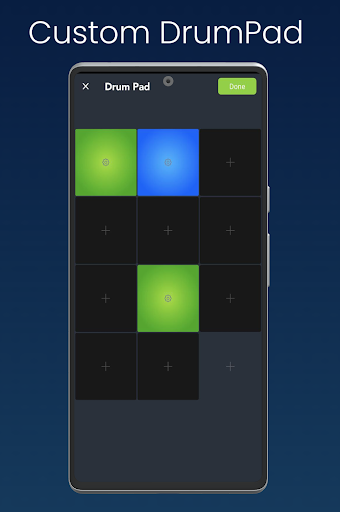
• Play beats on pads, record them and put your own sounds on any pad.
• A step sequencer for patterns and loops, and export as audio.
HOW IT WORKS
1. Pick a tool on the Home screen, or tap the + button to start something new.
2. Choose a file from your phone, record one, or write a prompt.
3. Save the result, share it, or open it in the mixer or the video editor to keep working.
Everything you make is kept in your Library and Projects.
FREE AND PRO
The editing tools are free to use. AI tools run on credits; new users get free credits to try them. VoxBox Pro removes ads and unlocks the Pro tools, and credit packs are available for more AI generations.
Made for creators, musicians, podcasters and anyone who wants a video, a song or a clean recording without a computer.


