



Mark up pages with a PDF editor, scan paper files with a PDF scanner, read any document in a PDF reader, protect private documents and create files in a few taps. Use it for study notes, work reports, invoices, receipts and forms.
✏️ PDF Editor & Page Tools
Use the PDF editor to annotate, organize and fix your documents without extra software.
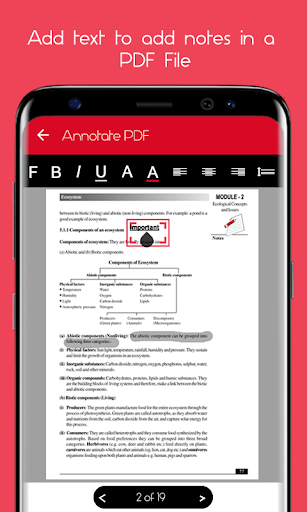
• Write directly on pages and drop comments where you need them
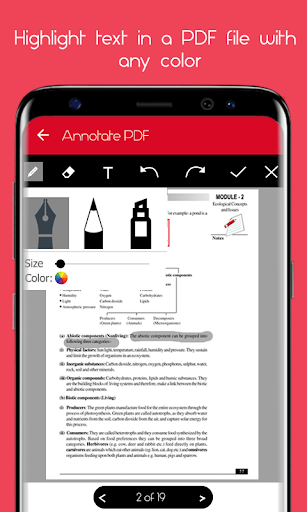
• Highlight important text and underline key sentences
• Reorder and rotate pages to fix the layout
• Delete unwanted or blank pages
• Extract selected pages into a new file
• Split a large document into smaller parts
• Duplicate a file to keep a safe backup
📷 PDF Scanner & Convert
This PDF scanner turns paper into digital documents with your camera. The easy PDF maker and PDF converter create a PDF from almost anything.
• Scan to PDF: capture notes, bills and handwritten pages using the camera
• Word to PDF: turn Word documents into clean, shareable pages
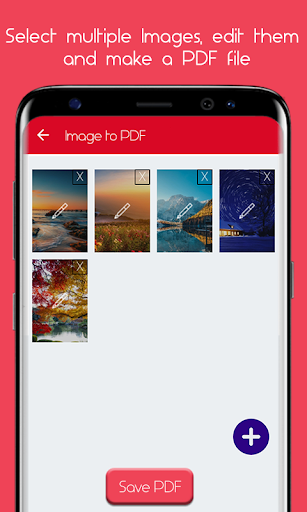
• Image to PDF: choose one or many photos from your gallery
• Text to PDF: type notes with custom font size, bold, italic and color
• Excel to PDF, PPT to PDF and HTML to PDF: save sheets, slides and web pages
• Contact to PDF: save your phone contacts as a document
📖 PDF Reader & PDF Viewer
Open study material, contracts and reports in a smooth PDF reader. Scroll through long files, jump to the page you need and enjoy clean, clutter-free reading. This simple PDF viewer and PDF reader keep daily reading easy.
🛠️ PDF Maker & Converter
Use the PDF maker for quick jobs. Image to PDF and Text to PDF take seconds, and the PDF converter turns Word to PDF just as fast. Join results with the PDF merger when you need one final document.
🗂️ Merge PDF & Organize
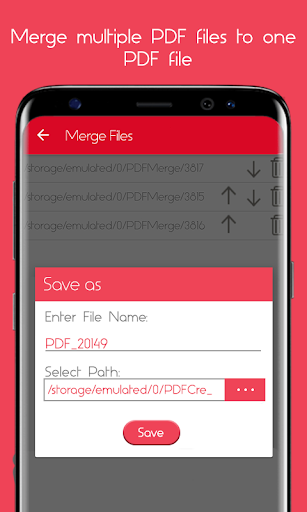
• Merge PDF into a single file and change the order before you combine them
• Remove duplicate pages with a single tap
• Turn big documents into ZIP archives for quick sharing
This PDF merger keeps every document tidy and ready to share.
🔒 Lock PDF & Privacy
• Lock PDF with a password to keep sensitive information safe
• Unlock a document when the password is no longer needed
• Add watermarks such as "Confidential" to every page
📴 Offline & Private
Your documents stay on your device. This PDF editor works offline and does not upload your data to a server, so personal and work documents stay private.
🎯 Built for Everyday Use
Students can organize assignments and class notes, professionals can prepare proposals and invoices, and anyone can use Image to PDF or this PDF scanner to digitize paper in seconds. A single PDF editor, PDF reader, PDF maker and PDF converter covers your daily document work.
Download this PDF editor and PDF scanner today to read, edit and scan every document on your phone.
Permission required: For users on Android 11 and above, All Files Access permission is required to find, read and manage the documents on your device. It is used only for app features.


