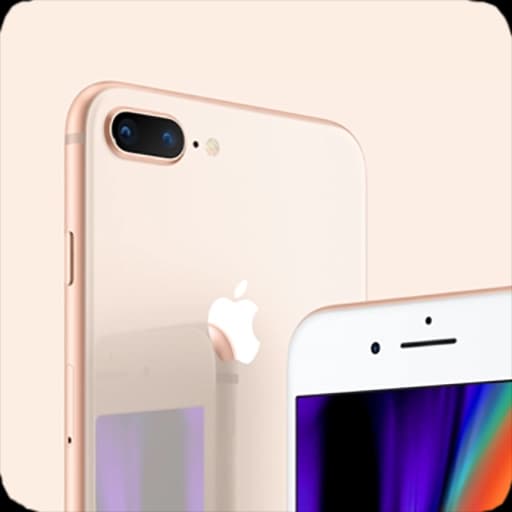
Camo uses the incredible camera in your Android phone to produce pro-quality video, whether you’re meeting, streaming, or recording.
Joanna Stern, The Wall St. Journal – “how I do all my live TV hits”
MacWorld US – “full-featured, easy-to-use, and delightful”
9to5Mac – “an easy way to seriously improve your video call quality”
MacWorld UK – “an easy way to beef up the video quality on your calls”
With over 10 million users helped over the last decade, Reincubate is one of the UK’s most-loved software companies.
— EASY TO USE / PLUG AND PLAY / Wi-Fi —
No extra hardware needed, just connect your phone to the free Camo Studio app on your Mac, PC or iPad. Choose between connecting wirelessly, for the most flexible experience, or opt for a trusty USB connection. With Wi-Fi connectivity, get set up for a call in seconds – no more looking around for a spare cable or a free port.
— POWERFUL ADJUSTMENTS & FILTERS —
Camo Studio gives you full control of your video, letting you adjust lenses, exposure, colours, white balance and more; and it lets you zoom, crop, and focus your image precisely how you want it. On a Mac, apply cinematic styling and colour grading to your video with 18 bespoke filters, including support for custom Cube, 3DL, and LUT files.
— STAND OUT WITH SPOTLIGHT & PORTRAIT —
Use Spotlight to compensate for less-than-ideal lighting conditions, such as backlit or under-lit environments, by brightening yourself against your background. Portrait creates a sophisticated bokeh effect that cleanly separates you from the background.
— VIRTUAL GREEN SCREEN AND PRIVACY —
Use Replace, Camo’s virtual green screen, to cleanly swap any image into your background. Or activate Privacy to cloak your surroundings with a pleasing diffused image effect. Camo Camera can run Spotlight and these background modes on your phone itself.
— FIND FREEDOM WITH AUTO FRAMING —
With Camo Studio for Mac, Camo’s auto-framing functionality keeps you at the centre of the action, whether you’re shuffling around at your desk or presenting at a whiteboard. With a range of zoom options, you’ll remain firmly centred and proportioned on screen.
— COMPATIBLE WITH OVER 40 APPS —
Camo works perfectly with Zoom, Google Meet, Microsoft Teams, Safari, FaceTime, QuickTime, Chrome, OBS Studio, Streamlabs, Twitch, Panopto, ScreenFlow, Final Cut Pro, and dozens of other video recording and streaming products.
— SECURITY AND PRIVACY FIRST —
Camo doesn’t know what you’re using it for, and doesn’t capture or transmit your video feed. It simply routes it from your phone to your computer. Your data is your business, not ours.
— NOT ONLY BUT ALSO! —
- Super low latency, high speed video with a range of resolutions
- Powerful presets to save and quickly switch to your favourite adjustments and settings
- Works with Camo Studio for Mac, Windows and iPad
- Crop your video without losing quality with dynamic-resolution Smart Zoom on a Mac
- Automatic image stabilisation minimises bumps and vibrations
- Use your phone’s microphone, or a microphone plugged into it
- Switch between video from multiple phones and lenses in real time
- No ads in the app, not ever
— WE’RE HERE TO HELP —
We’re fanatical about supporting users, and we’d love to help you make the most of Camo. Reach out to us any time: support@reincubate.com
Camo Camera needs Android 9 or later. Spotlight and the background modes run on the phone at up to 1080p, and Replace works with Camo Studio for Mac and iPad. Image stabilisation needs Android 13 or later, a camera that supports it, and Camo Studio for Mac or Windows.
— LEARN MORE —
About us: https://camo.com/
How to make the most of Camo: https://camo.com/support/how-to/look-best-webcam-video
FAQ: https://camo.com/support/camo/camo-faq