

| Antivirus | Status |
|---|---|
| Eset | Clean |
| FSecure | No result |
Needs further review: this scanner has not returned a result for this version of the app. | |
| Symantec | Clean |
| Comodo | Clean |
| ZonerMobileSecurity | No result |
Needs further review: this scanner has not returned a result for this version of the app. | |
| McAfee | Clean |
| GooglePlayProtect | No result |
Needs further review: this scanner has not returned a result for this version of the app. | |
| Kaspersky | Clean |
| DrWeb | Clean |
| ClamAv | Clean |
App screenshots

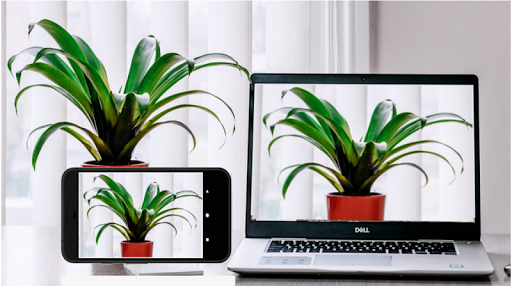
Use your Android phone's camera as a wireless webcam in PC or Mac. Install needed drivers and use your phone with Teams, Zoom, OBS etc video applications.
Installing drivers for the computer:
Please make sure to download the needed drivers for your PC from https://iriun.com
Using webcam:
1. Launch Iriun Webcam app on your phone
2. Start Iriun Webcam Server on your PC
3. The phone is connected automatically to your PC using wireless WiFi network and the camera is ready to use.
4. Configure your desktop application to use Iriun Webcam as source for audio and video
Features:
- Works with screen off
- Connects with WiFi or USB.
- Supports resolutions up to 4K. (Max resolution depends on the phone model)
- Pinch zoom
- Mirroring
Pro version features:
• No watermark
• Manually adjust ISO, exposure and white balance
• Remotely control camera from the Desktop too
• No Ads
Android 17 support.