| Antivirus | Status |
|---|---|
| McAfee | Clean |
| FSecure | Clean |
| Symantec | Clean |
| ClamAv | Clean |
| Kaspersky | Clean |
| Eset | Clean |
| DrWeb | Clean |
| Comodo | Clean |
| ZonerMobileSecurity | Clean |
| GooglePlayProtect | No result |
Needs further review: this scanner has not returned a result for this version of the app. | |
App screenshots
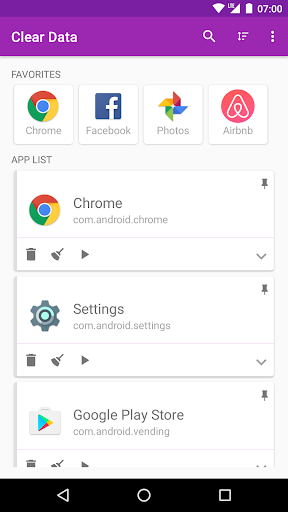
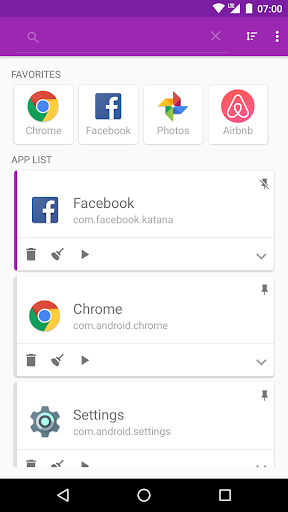
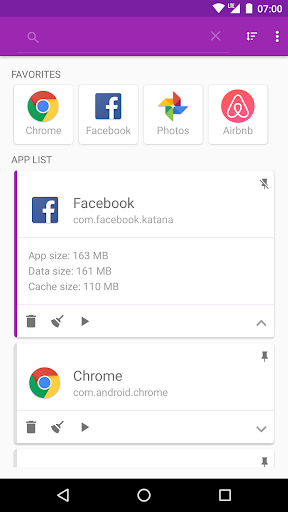

Clear Data will help you reach the device App Info screen for any application as fast as possible, with 1 tap from anywhere.
Using the App Info you can:
* Clear data easily - delete any app persistent data and save a lot of space on your device, use it to clear browsing history, or databases stored by apps on your devices
* Clear cache easily - delete any app cache and save a little bit of space
* Force stop an application - an application that is force stopped can't consume device resources and memory
* Enable\Disable notifications
* Uninstall an application
* Launch an application
On Android 6.0 (Marshmallow) and further, you can also:
* Control dangerous permissions for any application.
* Control data usage for any application
* Get battery usage statistics
* Get memory usage statistics
* Control advanced permissions, like draw over other, modify system settings etc. Malwares and ransomwares can use advanced permissions to take over your phone
* You can use the built-in search to find the app you need to clear data
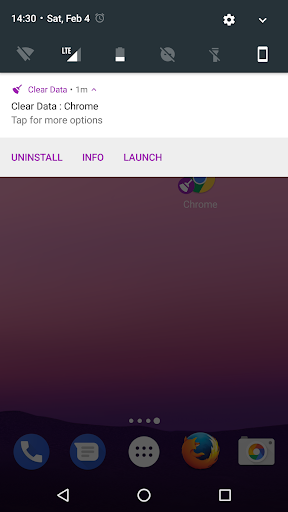
* Pin a notification for an app, so it will be reachable from any screen in your device
* The app contains a favorites bar, so you can see the most frequently apps that you tapped
* Use the awesome widget to clear data from home screen
What's new in version 2.0:
• Storage Overview Dashboard: Monitor device storage usage and total app count in real time.
• Quick Filter Chips: Easily filter User Apps, System Apps, and Heavy Apps (>50MB).
• Enhanced App List: Improved icon alignment, card spacing, and touch responsiveness.
• Performance & Stability: General bug fixes, faster app scanning, and full Android 16 compatibility.